MCP Agent Sessions and Governance
Watch every tool call an AI agent makes in the workspace, and govern which tools agents may use through the same path people take.
These images are illustrations of the concept, not screenshots of the actual product.
Overview
Connecting an AI agent to a data platform raises two questions at once: what is it doing, and what is it allowed to do. This concept answers them on two screens that share a section of the navigation. The first is an operational log of agent activity in the workspace; the second is the permission surface that defines the boundary the log is measured against. Both treat agents as callers with identities rather than as a special integration bolted to the side.
The sessions page is headed Agent Sessions and described as the connected clients in this workspace. Four cards count active sessions, tool calls in the last day, tools available and calls blocked by permissions, all sample figures. A Recent Tool Calls table is the substance: timestamped rows naming the session and the acting person, the tool invoked, the target it acted on, the result and the duration. The sample rows read like a working afternoon, with a model version published, an entity created, a saved query run and a data source transitioned, each succeeding in anything from under a hundred milliseconds to a couple of seconds. The last row is different, highlighted and marked as blocked pending confirmation, showing a delete attempt from a script-driven session that did not go through. Selecting a row fills a session detail panel with the client, the acting user, the workspace, the transport in use and the number of tools granted, and a Generate Access Token action sits at the top for connecting a new client.
The governance page answers the second question. Cards count the tools exposed, how many are read-only and how many are classified as destructive, which is the ratio a reviewer cares about most. A tool permissions table lists each tool with its type, whether it requires confirmation and which agents it is granted to, mixing read, execute, write and destructive operations in one place so the shape of the exposure is legible in a single pass. An enforcement path diagram runs from the agent through a workspace gateway that checks permissions and a federation layer that scopes to the workspace, down to the data source, with a line stating that the route is identical for human and agent callers.
An open gaps panel beside the table keeps the design's own governance to-do list in view, naming confirmation on destructive tools as the issue to close. Together the two screens make agent activity legible and bounded: the tools an agent calls are the same modeling, query and source operations people use, and the enforcement path shows those calls passing the same permission check and workspace scoping as a person's.
What this concept shows
- Summary cards for active sessions, tool calls in the last day, tools available and calls blocked by permissions
- A recent tool calls table with timestamp, session and actor, tool, target, result and duration
- A blocked delete call highlighted in the log and marked as awaiting confirmation, so a stopped action stays visible
- A session detail panel naming the client, acting user, workspace, transport and tools granted
- An access token action for connecting a new agent client to the workspace
- Counts of tools exposed, read-only tools and destructive tools on the governance page
- A tool permissions table listing each tool's type, confirmation requirement and the agents it is granted to
- An enforcement path showing agents and people passing through the same permission check and workspace scoping
How it works
- Open Agents in the left navigation to see the sessions connected to the workspace.
- Read the summary cards for active sessions, recent tool call volume and calls blocked by permissions.
- Work down the recent tool calls table to see which tools ran, against what, and how long each took.
- Select a call to inspect its session detail, including the client, the acting user and the tools granted.
- Switch to the governance view to see how many exposed tools are read-only and how many are destructive.
- Review the tool permissions table, then use Review Permissions to adjust which agents may call which tools.
- Follow the enforcement path to confirm that agent calls and human calls take the same route.
Who it's for
- Data platform engineers
- Security and governance leads
- Teams building AI agents against governed data
- Analytics leads overseeing agent access
Illustrations
2 illustrations of this concept. Select one to view it full size.
Agent Sessions and Recent Tool Calls
A desktop layout with the product's left navigation, Agents selected, and a heading reading Agent Sessions above a line describing the connected clients in this workspace. Four cards show sample counts for active sessions, tool calls in the last day, tools available and calls blocked by permissions, and a Generate Access Token button sits top right. A Recent Tool Calls table lists timestamped rows with the session and acting person, the tool called, the target, the result and the duration. Four sample rows succeed, covering publishing a model version, creating an entity, running a saved query and transitioning a data source to connected. The final row, a delete attempt from a script-driven session, is highlighted and marked as blocked pending confirmation. A session detail panel on the right names the client, actor, workspace, transport and number of tools granted.
Agent Governance and Tool Permissions
A desktop layout with the product's left navigation, Agents selected, and a breadcrumb from agents to governance under a heading reading Agent Governance with a line asking what agents may do in this workspace. A Review Permissions button sits top right. Three cards give sample counts of tools exposed, read-only tools and destructive tools. A tool permissions table lists each tool with its type, whether it requires confirmation and which agents it is granted to, mixing read, execute and write operations with three rows badged as destructive, whose confirmation column is highlighted. Below it, an enforcement path diagram runs from the agent through a workspace gateway that checks permissions and a federation layer that scopes to the workspace, ending at the data source, with a line noting the route is identical for human and agent callers. A side panel tracks open governance gaps.
Topics
- MCP agent sessions
- AI agent tool call audit
- agent tool permissions
- destructive tool confirmation
- agent access token
- governed context for AI agents
- workspace scoped agent access
- agent activity monitoring
- read-only versus write tools
Related concepts
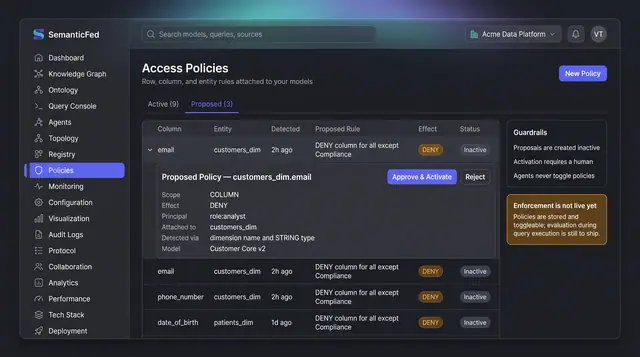
PII Access Policy Proposals
Sensitive columns are surfaced as inactive policy proposals with their detection reasoning, and only a person can approve and activate them.
1 illustration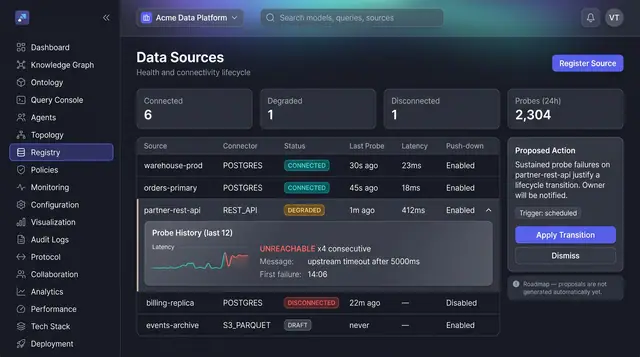
Source Health and Lifecycle Triage
See every registered source's health at a glance, open the probe history behind a failure, and act on a proposed lifecycle transition.
1 illustration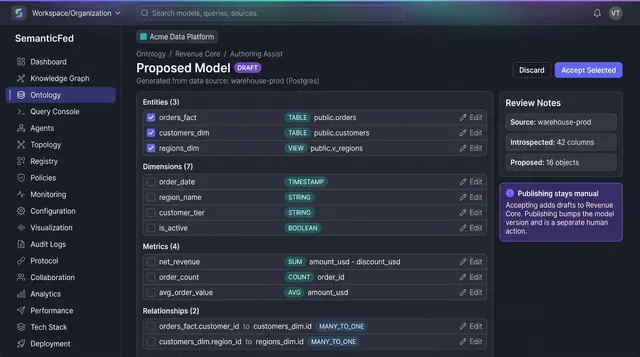
AI-Assisted Model Authoring
Turn an introspected source schema into a proposed draft of entities, dimensions, metrics and relationships, then accept only what fits.
1 illustration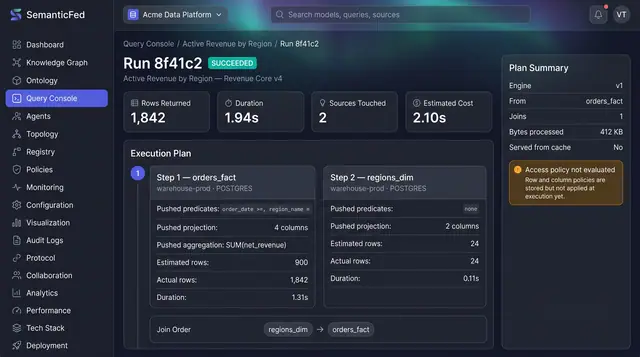
Federated Query Execution Plans
Open any query run and see exactly what was pushed down to each source, what each step really returned, and how the results were joined.
1 illustration
Part of an industry solution
This concept appears in a cross-product solution on burdenoff.com — see how it works alongside other Burdenoff products to solve a problem in that industry.