Open Data Release Privacy Review
Before a public dataset leaves the building, every column is checked for personal data and each deny or mask rule is approved by a person.
These images are illustrations of the concept, not screenshots of the actual product.
Overview
In government and the public sector, open data programs publish records such as service requests, permits and code enforcement cases so residents can see how their city works. This concept illustrates a release gate in SemanticFed that sits between departmental data and the public catalog: before a dataset is published, every column is checked for personal data and every protective rule waits for a named person's approval.
Public records are full of details that should never reach an open portal. A service request can carry the reporter's name and phone number, a street address that identifies a home, a photo link and free-text notes that say far more than intended. The data is also spread across departments and older systems, so a release is often assembled by hand from exports and a missed column is found only after publication. The design envisions querying the departmental sources in place through one semantic model and makes the privacy review a required step.
The illustrated page sits under Policies, headed Open Data Releases and described as datasets waiting for privacy review before publication, with tabs for pending, approved and published releases. Each dataset row shows its sources, the number of sensitive columns, the destination and a status such as awaiting review, blocked or approved. The expanded sample, a year of 311 service requests drawn from GovCitizenHub and AssetHandler, lists each flagged column with what it was detected as and the rule proposed: deny the reporter's name, phone number, photo link and notes, generalize the incident address to its block, and allow the category, status and dates. Every proposed rule shows as inactive, with Approve & publish and Reject beneath, and an output preview shows sample rows with locations reduced to a block. Another sample row, code enforcement cases drawn from a legacy case database, is blocked with no destination.
A Guardrails panel states that proposals are created inactive, that a release needs a named approver and that every release is logged, and a next-step card points to a FluidGrids service response data sink. The design intent is that GovCitizenHub and AssetHandler remain the systems of record for requests, permits and assets, and SemanticFed governs what may leave them. An approved release is designed to pass to FluidGrids, which is designed to publish it to the GovCitizenHub open data catalog as a new version and push it into a BigConsole data sink behind the city's transparency console.
What this concept shows
- Pending review, approved and published tabs, with counts on the pending and approved tabs
- A dataset table showing sources, sensitive column count, destination and status
- Source chips naming GovCitizenHub and AssetHandler as the departmental systems behind a release
- Per-column detection results such as person name, phone number, street address, image link and free text
- Proposed deny, mask and allow rules, including generalizing addresses to the block, all shown as inactive
- An output preview of sample rows as the public would receive them, with locations reduced to a block
- Approve & publish and Reject actions, with a blocked status on a legacy dataset that has no destination
- A guardrails panel and a FluidGrids next step for publishing the approved release
How it works
- Assemble a release through the semantic model, querying departmental sources such as GovCitizenHub and AssetHandler in place.
- Open the pending review tab under Policies and expand the dataset.
- Read each flagged column, what it was detected as and the deny, mask or allow rule proposed.
- Check the output preview to see exactly what the public would receive.
- Approve & publish as the named approver, or reject the release.
- Let the approved release pass to FluidGrids for publication to the GovCitizenHub open data catalog.
Who it's for
- Open data program managers
- Municipal data stewards
- Privacy and records officers
- City transparency and performance teams
Illustrations
1 illustration of this concept. Select one to view it full size.
Open Data Releases Awaiting Privacy Review
A desktop layout with Policies selected and a page headed Open Data Releases, described as datasets waiting for privacy review before publication, with tabs for pending review, approved and published. The dataset table shows sources, sensitive column counts, destination and status. The first row, a year of 311 service requests from GovCitizenHub and AssetHandler bound for the GovCitizenHub open data catalog, is expanded: flagged columns for reporter name, phone number, incident address, photo link and notes carry deny rules or a mask that generalizes the address to the block, while category, status and dates are allowed, and every rule shows as inactive. An output preview lists sample requests such as a streetlight outage, a pothole and a hydrant leak by block. Approve & publish and Reject sit beneath. Other rows show building permits awaiting review, code enforcement cases blocked and a streetlight inventory approved, with guardrails and a FluidGrids next step on the right.
Topics
- open data privacy review
- public records redaction
- 311 service request open data
- personal data detection before release
- open data portal governance
- address generalization to block level
- municipal data transparency
- government data release approval
- column level data masking
Related concepts
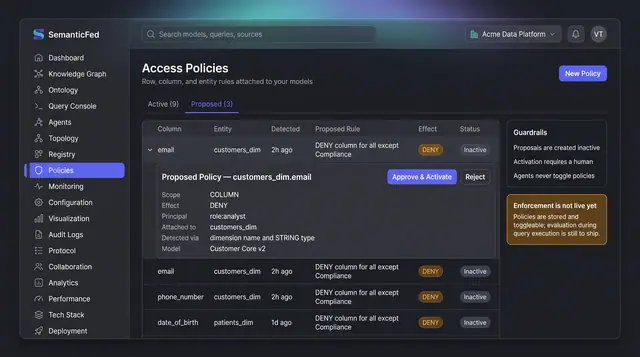
PII Access Policy Proposals
Sensitive columns are surfaced as inactive policy proposals with their detection reasoning, and only a person can approve and activate them.
1 illustration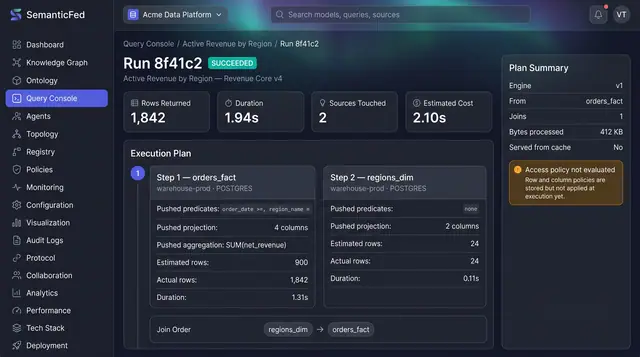
Federated Query Execution Plans
Open any query run and see exactly what was pushed down to each source, what each step really returned, and how the results were joined.
1 illustration
Part of an industry solution
This concept appears in a cross-product solution on burdenoff.com — see how it works alongside other Burdenoff products to solve a problem in that industry.